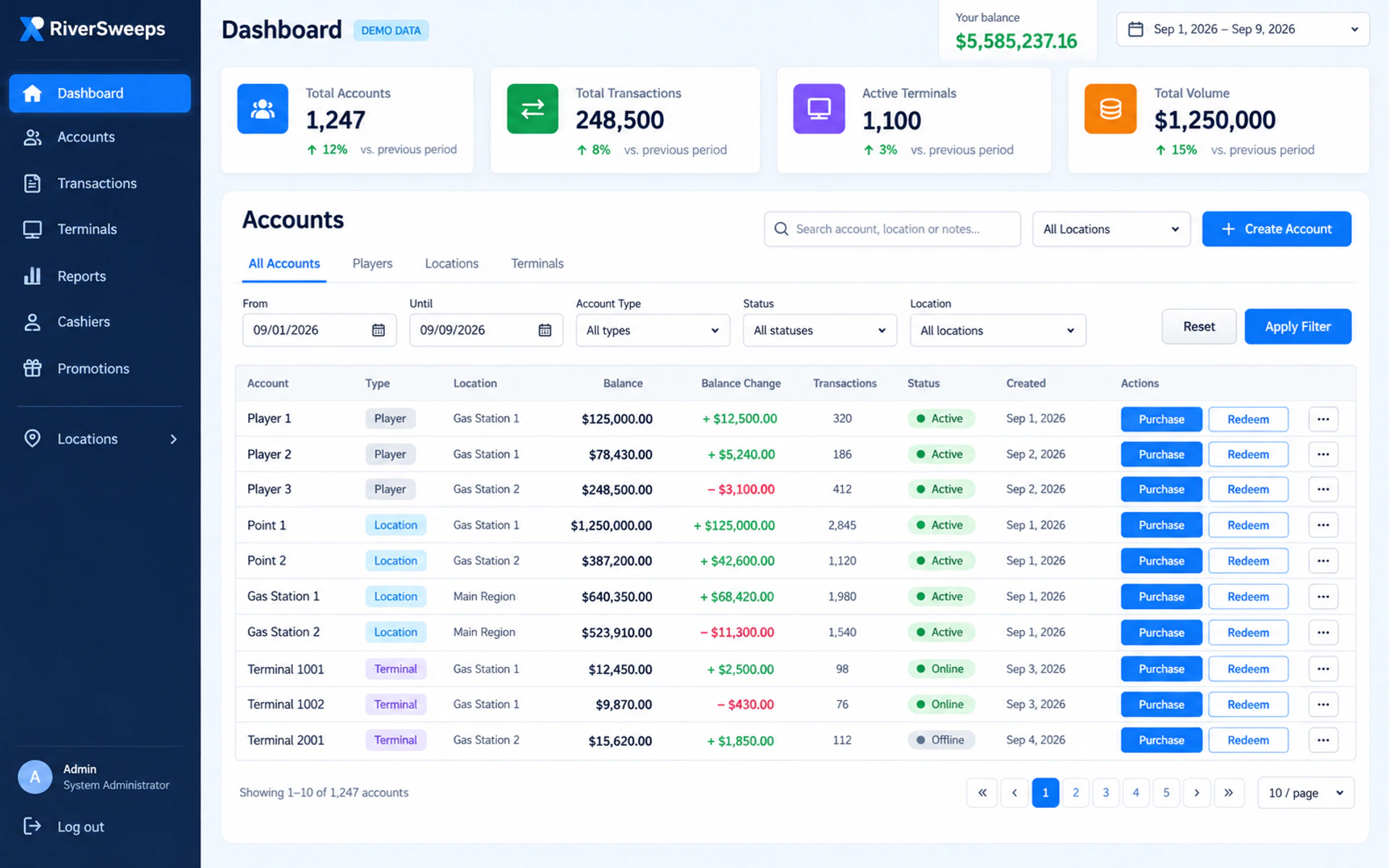
RiverSweeps admin dashboard: scope, evidence and the right next step
An admin dashboard is not valuable because it fits many widgets on one screen. It is valuable when an authorized user can answer a specific question, understand the scope of the answer and take a controlled action without searching through unrelated menus. The best evaluation therefore uses real tasks, anonymized data and separate roles.
This page concentrates on the management interface: roles, account hierarchy, location visibility, reports, audit context and day-to-day decisions. It does not publish login credentials, reproduce protected screens with sensitive data or replace the broad software and distributor overviews.
Connect administrative controls to the broader operating model through RiverSweeps management software, RiverSweeps distributor dashboard, multi-location management software and RiverSweeps POS system.
Current search results in this market often compress a complex operating decision into a game count, a price, a download button or an unsupported promise of speed. This guide takes a different approach: it identifies the user, the task, the evidence and the responsible handoff. That makes the page useful after the promotion or interface changes.
Who this guide is for
The same RiverSweeps page can be discovered by people with very different responsibilities. The table below identifies the intended readers and the decision each one should be able to make after reading.
| Reader | What this page should help them determine |
|---|
| Owners | Need a reliable overview and a clear route from summary to the underlying location or activity. |
|---|
| Managers | Need location and shift context, exception handling and reports that support decisions. |
|---|
| Distributors | Need network hierarchy and boundaries between partner accounts without unnecessary exposure. |
|---|
| Auditors and support | Need timestamps, identifiers and change context that make an event understandable. |
|---|
When a question moves beyond RiverSweeps administrative controls and reporting, follow the contextual links near the end of this guide. That separation is intentional: a player route, a device installer, a protected dashboard and a commercial consultation should never be presented as if they were the same task.
What to evaluate in practice
Use the following points as a working agenda. They are written to expose handoffs, assumptions and evidence that a short feature list usually misses.
Start with questions, not widgets
List the decisions an owner or manager makes daily, weekly and monthly. Every dashboard panel should help answer one of those questions or lead to the detail that does.
During a demonstration, ask the presenter to show this point in context and explain who owns the decision after launch. For RiverSweeps admin dashboard, the answer should remain consistent with the page's stated scope and should not become a promise about unrelated accounts, locations or product versions.
For account hierarchy, endpoint and rollout decisions, use RiverSweeps kiosk management, how RiverSweeps works, RiverSweeps admin terminology and RiverSweeps admin panel demo.
Test scope and time
Confirm which location, account level, time zone and date range a value represents. Filters should be visible enough that a screenshot cannot be mistaken for a broader result.
Record the answer with the configuration, device or page version so it can be checked when the environment changes. For RiverSweeps admin dashboard, the answer should remain consistent with the page's stated scope and should not become a promise about unrelated accounts, locations or product versions.
Review the hierarchy
The interface should make relationships among distributors, agents, operators, locations and staff understandable without granting every user the same view.
The useful evidence is a current screen, defined report, measured location, written process or responsible first-party owner—not an adjective. For RiverSweeps admin dashboard, the answer should remain consistent with the page's stated scope and should not become a promise about unrelated accounts, locations or product versions.
Trace changes and exceptions
A controlled system records who performed a relevant action, when it happened and which record it affected. Ask how authorized reviewers investigate an unexpected value.
If the answer varies by operator or jurisdiction, publish that limitation beside the claim instead of hiding it in a generic footer. For RiverSweeps admin dashboard, the answer should remain consistent with the page's stated scope and should not become a promise about unrelated accounts, locations or product versions.
Evaluate exports responsibly
Exports can be useful for reconciliation but they also increase privacy and retention obligations. Confirm permission, format, secure handling and deletion rather than treating download as a harmless convenience.
A buyer should be able to repeat the workflow with a representative role and understand the expected result without privileged improvisation. For RiverSweeps admin dashboard, the answer should remain consistent with the page's stated scope and should not become a promise about unrelated accounts, locations or product versions.
Use authentic, anonymized screenshots
Marketing images should come from a current RiverSweeps environment with names, IDs, balances and secrets replaced or redacted. Invented dashboard mockups must be labeled as concepts.
This distinction also keeps neighboring RiverSweeps pages focused and reduces the chance that several URLs answer the same search question with nearly identical copy. For RiverSweeps admin dashboard, the answer should remain consistent with the page's stated scope and should not become a promise about unrelated accounts, locations or product versions.
A practical evaluation workflow
A structured review prevents an attractive screenshot or isolated feature from becoming the entire buying decision. Keep the notes, sample roles and dates together so the decision can be revisited.
- Step 1. Write the five most important management questions and identify who is allowed to answer each one. Document the person responsible, the evidence collected and any assumption that still needs product, operational or legal confirmation.
- Step 2. Use separate demonstration roles and confirm that each sees only the intended accounts and controls. Document the person responsible, the evidence collected and any assumption that still needs product, operational or legal confirmation.
- Step 3. Filter a report by location and date, then trace one value to its defined source. Document the person responsible, the evidence collected and any assumption that still needs product, operational or legal confirmation.
- Step 4. Reproduce an ordinary exception and review the audit or support context it creates. Document the person responsible, the evidence collected and any assumption that still needs product, operational or legal confirmation.
- Step 5. Capture approved anonymized screens and schedule a review when the interface materially changes. Document the person responsible, the evidence collected and any assumption that still needs product, operational or legal confirmation.
Do not skip the exception path. A normal demonstration proves that the designed route can work; an exception demonstrates whether staff can pause safely, preserve context, obtain approval and continue without exposing credentials or private records.
Evidence to request and retain
The appropriate record depends on the page, but every material claim should be connected to something current and reviewable. Replace sample or conceptual media with authentic, anonymized RiverSweeps material before using it as product proof.
| Evidence | What a useful record contains | Why it matters |
|---|
| Role demonstration | Owner, manager, cashier and distributor views shown with distinct sample access. | It turns a general claim into something another reviewer can verify. |
|---|
| Hierarchy map | Relationships among accounts and locations with boundaries clearly marked. | It makes changes in scope, version or responsibility visible. |
|---|
| Metric definition | Plain-language meaning, time zone, calculation and source for each published KPI. | It reduces disagreement when a workflow or page is reviewed later. |
|---|
| Audit example | An anonymized action record that shows actor, time, scope and affected object. | It gives support enough context without requiring protected information. |
|---|
| Export policy | Who can export, permitted purpose, storage location and retention period. | It distinguishes current first-party evidence from a copied market claim. |
|---|
| Screenshot register | Source environment, capture date, anonymization check and review owner. | It creates a clear trigger for maintenance, correction or re-approval. |
|---|
Questions for a RiverSweeps demonstration or review
Ask these questions against a representative configuration. A credible answer can state that a detail is unknown or variable, provided the owner and verification path are clear.
- Which management questions does the first screen answer without an export? Ask to see the answer, not only hear a description.
- How do filters, time zones and account scope change the numbers shown? Record the scope and date attached to the response.
- Can one relevant value be traced from summary to source activity? Identify which role owns the decision after deployment.
- What actions are available to each role and which require approval? Confirm whether the answer changes by device, operator or market.
- How are exports, screenshots and support captures protected? Request a redacted example or primary source where appropriate.
- What changed in the interface since the last public screenshot was approved? Note the event that would require the answer to be reviewed again.
Common mistakes and how to avoid them
The following risks are not reasons to abandon a useful product or page. They are reasons to make the decision with better boundaries and evidence.
A single super-admin demonstration hides whether least-privilege roles are usable.
Avoid it by assigning an owner and checking the real environment before publication or purchase. The correction should be visible in the workflow, content or approval record rather than left as an informal assumption.
Test data presented as live performance can mislead buyers.
Reduce the risk with a representative pilot, documented scope and a clear escalation path. The correction should be visible in the workflow, content or approval record rather than left as an informal assumption.
Screenshots can expose customer names, account IDs, balances or access tokens.
Keep the statement conditional until current first-party evidence supports it. The correction should be visible in the workflow, content or approval record rather than left as an informal assumption.
Reports without definitions invite inconsistent interpretation across locations.
Separate the responsible page or role instead of forcing one answer to cover every audience. The correction should be visible in the workflow, content or approval record rather than left as an informal assumption.
Exports may create unmanaged copies of sensitive business or player data.
Use the minimum information and access needed for the task, then review the record. The correction should be visible in the workflow, content or approval record rather than left as an informal assumption.
The admin page should not target player-login searches or publish a direct protected login link without context.
Pause expansion when the facts, permission or support owner are not yet clear. The correction should be visible in the workflow, content or approval record rather than left as an informal assumption.
Build a decision record
For RiverSweeps admin dashboard, a decision record should name the intended audience, the problem being solved, the chosen configuration or content scope, the rejected alternatives and the evidence used. It should also list unresolved questions and the date on which the decision must be reviewed.
Separate observation from prediction. A current interface, measured floor, completed test or defined report is an observation. Expected adoption, savings, retention, revenue or legal treatment is a prediction and needs its own support. This distinction keeps marketing persuasive without turning it into an unsupported guarantee.
Use representative conditions. A perfect network, unrestricted demonstration account, empty store or desktop-only preview can hide the work that appears during an ordinary shift. Include at least one realistic constraint and one recoverable exception.
Finally, identify the change triggers: a new market, new device class, new game mode, new account hierarchy, new data recipient, material interface change or revised promotion. A previous approval should not silently cover facts it never reviewed.
Related RiverSweeps resources
These links are descriptive by design. They let readers and search systems understand the destination before following it, while keeping this page focused on its own question.
Bottom line
The dashboard should make scope, permission and evidence visible. A buyer should leave the demo knowing not merely where the menus are, but how an authorized decision is made and later reviewed.
Confirm variable product details in a current RiverSweeps demonstration and obtain qualified advice for the complete promotion and jurisdiction. Public information should help the next decision; it should never disguise an unresolved one.